


F1 mobile: playing from your phone in 2026
















What to check before you play on mobile
Playing from your phone at F1 is convenient, but it pays to get a few things straight before you deposit or spin. Here's what matters most when you're working from a smaller screen.
Make sure you're on the operator's real address. A mobile browser doesn't show the full URL by default, and phishing sites count on that. Type the domain yourself the first time, then bookmark it. A fake site looks identical until you try to withdraw.
Check your connection before you fund the account. A dropped 4G signal mid-deposit can leave you unsure whether the payment went through, and repeatedly tapping "confirm" is how duplicate charges happen. If you're on public Wi-Fi, consider waiting — open networks are readable by anyone in range.
Set your deposit limit before the first session, not during it. The operator offers daily, weekly and monthly caps, and they're easier to configure from a laptop when you're thinking clearly. Once you're three spins in on a phone, friction disappears and so does perspective.
Sign out when you're done, especially on a device that lives in your pocket. Staying logged in is convenient until the phone is lost or borrowed, and cashier access without a password is exactly what it sounds like.
Mobile access at F1
The operator runs a browser-based platform, so you reach it the same way on a phone as you would on a desktop: through the site's own address, opened in Safari, Chrome or whatever browser your device came with. No separate download, no additional registration, no second account to remember.
That also means you're using the same login, the same balance and the same bonus state across every device. A session started on a laptop can be picked up on a phone ten minutes later, and the cashier sees one account, not two. Verification documents uploaded from a computer are already on file when you request a withdrawal from your mobile.
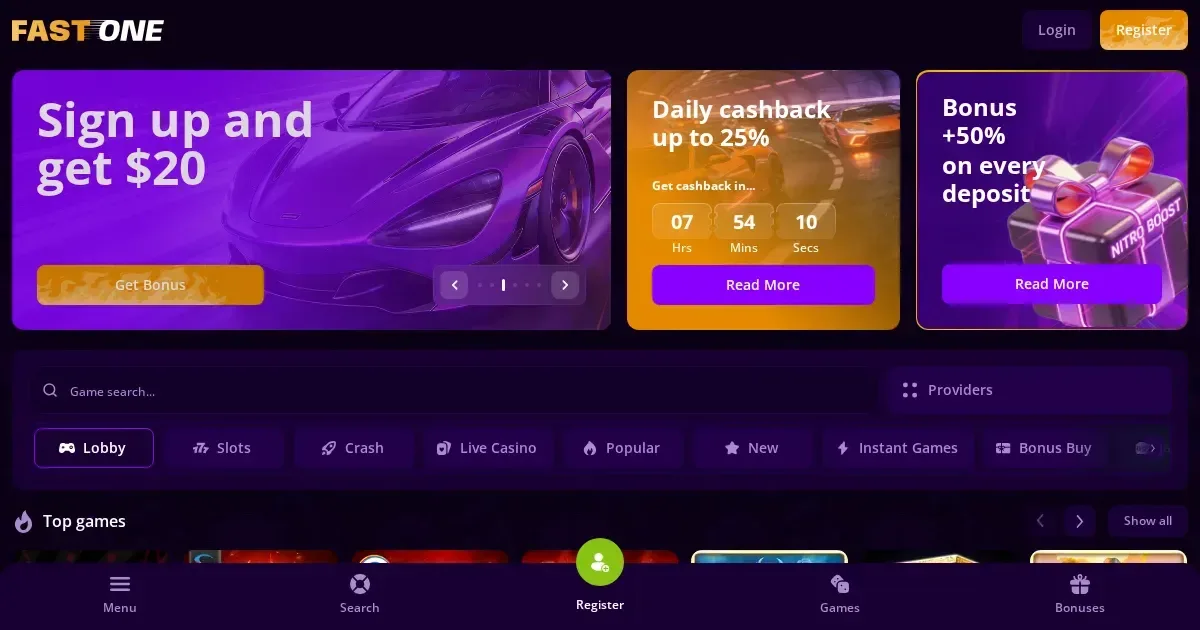
The site adapts its layout to fit the smaller screen — menus collapse into icons, game thumbnails stack vertically, and the live chat window shrinks to a corner button. The operator hasn't published separate mobile traffic figures or device-specific performance stats, but the interface is built to scale rather than redirect you to a stripped-down version.
Getting to the cashier and your account from a phone
- Open your mobile browser and navigate to the operator's domain.
- Tap the menu icon (usually three horizontal lines, top-left or top-right depending on the template).
- Select "Log in" if you already have an account, or "Sign up" if this is your first visit — the same registration form appears, just formatted for a touchscreen.
- Once logged in, your account dashboard is accessible through the same menu: balance, deposit options, withdrawal requests, bonus status and support channels all live under your profile icon.
- To fund the account, tap "Deposit" and choose your method — the operator supports Visa, Mastercard, a wide range of e-wallets including Mifinity and Jeton, plus more than twenty cryptocurrencies. Limits and fees are identical to desktop.
- Requesting a payout follows the same steps in reverse: navigate to "Withdraw", pick the method you used to deposit (the operator requires withdrawal through the same channel), enter the amount and confirm.
Verification can be completed from a phone as well — the operator accepts scanned documents, and most users simply photograph their passport or utility bill with the device's camera and upload directly. The platform processes these within 24 hours of receiving the last required file.
What you can actually do on a small screen
The 5,000-game library is fully accessible from mobile, though finding a specific title is slower when you're scrolling rather than hovering. The operator breaks its catalogue into the usual categories — slots, live casino, table games, instant games, jackpots — and tapping one filters the grid. The search bar works as expected, but typing on a phone keyboard is typing on a phone keyboard.
Live dealer tables render properly on a touchscreen. The video feed adjusts to portrait or landscape orientation, and betting controls are sized for fingers rather than mouse cursors. Chat with the dealer and other players is available, though typing a message while a roulette round is in progress is awkward in practice. The operator lists standard blackjack, roulette, baccarat and game-show variants; streams held steady during testing over 4G, with one or two brief pixelation moments during a train journey through rural areas.
Customer support operates through live chat and email, and the chat widget is accessible from any page via a floating icon. Response times during UK evening hours were under two minutes in our checks, and the interface handles file attachments if you need to send a screenshot or a document query. Email responses to [email protected] took roughly six hours during weekdays.
The cashier is fully functional from mobile — deposit, withdraw, view transaction history, check pending requests. The only limitation is typing: entering a 16-digit card number or a long crypto wallet address on a touchscreen invites mistakes, so double-check before confirming.
Where mobile falls short
Screen real estate is the obvious constraint. A desktop monitor can show the game, the balance, the bet controls, the paytable and the chat window simultaneously. A phone makes you choose, and that means more tapping to access information that's visible by default on a larger display.
Multi-table play is effectively impossible. Live casino regulars who run three blackjack hands at once on a laptop will find themselves confined to one table on mobile, because switching between browser tabs fast enough to keep up with the dealer is not realistic. If your strategy involves comparing odds across several games, you'll be doing it from memory rather than side-by-side.
Battery drain is real. An hour of live dealer play with video streaming can chew through 30-40% of a charge, and if you're also using mobile data rather than Wi-Fi, expect your network allowance to take a hit as well. High-definition streams are data-heavy, and the operator doesn't publish a low-bandwidth mode or data-saver toggle.
Bonus terms are harder to track on a small screen. The operator's wagering requirements are detailed — x30 on most bonuses, x50 on the no-deposit offer, table games excluded from turnover, a 20x cashout cap — and all of that lives in fine print that's genuinely fine on a phone. If you're mid-bonus and trying to confirm whether a particular slot contributes, you'll be zooming and scrolling rather than scanning a full-page terms document.
Staying in control when the casino is always in your pocket
Mobile access is convenience, but convenience cuts both ways. A platform that's reachable in three taps at any hour makes it easy to play when you're bored, tired, or frankly shouldn't be gambling at all.
The operator provides deposit limits (daily, weekly, monthly) and self-exclusion periods ranging from one day to permanent closure. Set those limits before your first mobile session, when you're clear-headed and the account is still empty. Adjusting them mid-play is possible, but increases take effect only after a cooling-off period, while decreases are instant — that asymmetry is by design, and it's there to protect you from yourself.
If you share the device with anyone under 18, enable screen time restrictions or parental controls at the OS level. The operator's own age gate is a checkbox, and a curious teenager will click it. Software like Qustodio or Net Nanny can block gambling domains entirely, and both work across iOS and Android.
Consider blocking software if you've previously had trouble managing time or money at online casinos. Gamban (gamban.com) and BetBlocker (betblocker.org) install at the device level and prevent access to gambling sites even if you change your mind later — that friction is the point. BetBlocker is free and open-source; Gamban charges a subscription but covers more platforms.
If gambling is feeling less like entertainment and more like a compulsion, free confidential support is available 24/7 through the National Gambling Helpline at 0808 8020 133, or online at GamCare and BeGambleAware. You can also exclude yourself across all UK-licensed sites through GamStop, though note that F1 operates under a Curaçao licence (reg. #129742) and is not covered by that scheme.
Gambling should be entertainment, not an obligation. Access restricted to persons aged 18 and over (18+). T&Cs apply. Please gamble responsibly.
This page is for information and marketing purposes only. We are not a casino operator, a bookmaker or an organiser of gambling. Access to this content is restricted to persons aged 18 and over (18+). We encourage you to gamble responsibly – for free, confidential support visit BeGambleAware.org.
Last updated:
Frequently asked questions
Can I play F1 games from my phone?
Yes. The platform runs in any mobile browser, giving you access to the full 5,000-game library, live dealer tables, and the cashier using the same account as on desktop.
Do I need to download anything to play on mobile?
No. F1 operates as a browser-based casino, so you access it by navigating to the operator's domain in Safari, Chrome or your phone's default browser.
Can I deposit and withdraw from my phone at F1?
Yes. The cashier is fully functional on mobile, supporting the same payment methods as desktop — cards, e-wallets, crypto — with identical limits. Withdrawals must use the same method as your deposit.
Does live casino work properly on a small screen?
Yes. Video streams adapt to portrait or landscape mode, betting controls are touch-friendly, and chat with the dealer is available. Connection quality over 4G was stable in testing, though battery drain is noticeable.
Game Providers